QR code and augmented reality: a winning combination for your sales
No commitment, no credit card required.
Why combine QR code and augmented reality?
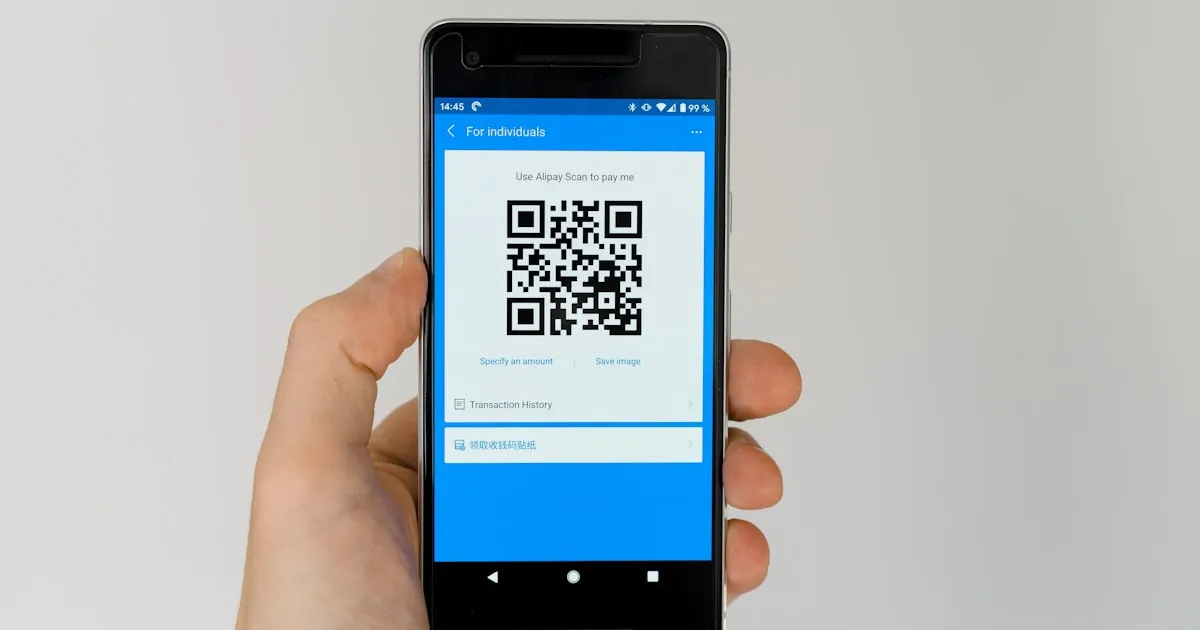
The QR code has become a daily reflex for millions of consumers. Scanning a code with a smartphone is a natural, fast and universal gesture. By combining this gesture with augmented reality, you create an instant bridge between the physical world and an immersive digital experience.
The decisive advantage of this combination lies in the total absence of friction. The customer has no app to download, no account to create, no form to fill out. They scan, see the product in 3D, and can project it at home in augmented reality. The experience is smooth and instant.
This immediacy is crucial in a commercial context. Every second of friction between discovering a product and exploring it reduces the likelihood of purchase. The AR QR code eliminates this friction.
The AR QR code is also a tremendous measurement tool. Every scan is trackable: you know how many people interacted with your AR content, on which medium, at what time. This data is invaluable for measuring the return on investment of your physical marketing materials.
AR QR code use cases
Augmented reality QR codes integrate into a multitude of professional contexts. Here are the most effective use cases, ranked by commercial impact:
- On product packaging: This is the most powerful use case in e-commerce. A QR code printed directly on your product packaging allows the customer to view other items from your catalog in augmented reality. It's a unique cross-selling opportunity: the customer who just received a coffee table can immediately explore matching armchairs in AR, directly from the delivery box. Brands using this technique see a 15 to 25% increase in complementary orders.
- In catalogs and brochures: The paper catalog gets a second life thanks to AR QR codes. Each product page can include a QR code that gives access to the product's 3D viewer. The customer browses the catalog and, with one scan, visualizes any product in augmented reality in their environment.
- On business cards: Your salespeople distribute business cards at client meetings. An AR QR code on the card turns each distributed card into a mini-demo of your flagship product.
- In storefronts and in-store: AR QR codes placed next to displayed products enrich the in-store experience. The customer scans the code to see the product in other colors, view complementary accessories or project the furniture in their interior before finalizing the purchase. Retailers combining physical display and AR QR codes observe a 20 to 30% increase in time spent in-store and a significant increase in average basket.
- On trade show booths: Booth space is limited. It's impossible to display your entire range. AR QR codes solve this problem: each non-displayed product is accessible via a simple QR code on a panel.
- On invoices and commercial documents: Every contact point with your customer is a sales opportunity. An AR QR code on an invoice or delivery note invites the customer to discover other products from your catalog.
How to create an AR QR code with Visuality
Creating an augmented reality QR code with Visuality is a simple and quick process that requires no technical skills. Here are the steps:
- Step 1 — Import your 3D model: From your Visuality dashboard, upload your 3D file in GLB or GLTF format. If you don't have a model, use AI 3D generation.
- Step 2 — Customize the rendering: Use the built-in editor to adjust scale, materials, lighting and add interactive hotspots if desired.
- Step 3 — Access the sharing page: From your 3D object page, click "Share". Visuality automatically generates a QR code and a direct link to the 3D viewer.
- Step 4 — Download and print: Download the QR code in high-resolution image format. You can integrate it into your marketing materials, catalogs, packaging, business cards or any other physical medium.
In addition to the QR code, Visuality provides a shareable direct link and an iframe code to integrate the 3D viewer into any web page. You have all the tools to share your products in 3D and augmented reality.
Strategies to maximize scans
A QR code alone is not enough. To maximize the number of scans and thus the impact of your augmented reality investment, a few best practices are essential:
- Add a clear call to action: The QR code should always be accompanied by explicit text indicating what the user will discover. "Scan to see this product at home in augmented reality" is infinitely more effective than a QR code without context. The scan rate increases by 30 to 50% when a clear call to action is present next to the code.
- Explain what the user will see: Many consumers are not yet familiar with augmented reality. A short text or pictogram explaining the experience ("See this product in 3D and augmented reality") significantly increases the scan rate.
- Respect a minimum size: A QR code that is too small is difficult to scan, especially in variable lighting conditions. The recommended minimum size is 2 x 2 cm.
- Choose the right location: The QR code must be visible and easily accessible. On packaging, place it on the main face, at eye level.
- Customize the QR code design: QR codes customized with your brand colors, with your logo in the center, attract more attention than classic black and white QR codes.
Measure the impact of your AR QR codes
One of the major advantages of AR QR codes over traditional marketing materials is measurability. Every interaction is trackable and quantifiable.
Visuality provides you with detailed statistics on the usage of your 3D viewers: number of views, interaction duration, augmented reality launch rate.
To measure the impact on your sales, cross-reference scan data with your commercial indicators. Compare the conversion rate of customers who used AR with those who did not. Studies show that customers who interact with a 3D AR viewer have a 94% higher conversion rate and a 20% higher average basket. These figures allow you to precisely calculate the return on investment of each deployed AR QR code.
Also consider testing different approaches: vary locations, calls to action and featured products. Performance analysis will allow you to continuously optimize your AR QR code strategy.
AR QR code examples by sector
The power of AR QR codes is evident in all industries. Here are concrete examples of use by sector:
- Retail and distribution: Retail chains place AR QR codes on shelf labels, next to the price. The customer scans the code and sees the product in 3D and augmented reality directly in-store.
- Furniture and decor: Furniture showrooms use AR QR codes on each displayed product. The customer scans the code, sees the furniture in 3D in its complete version and can project it directly at home in augmented reality.
- Real estate: Real estate agencies integrate AR QR codes in their listings and window displays. The prospect scans the code and visualizes the property in 3D: room layout, integrated virtual furniture, cross-section view.
- Trade shows and professional events: At a trade show booth, AR QR codes allow presenting the entire catalog without space constraints. The visitor scans the codes of products they're interested in and visualizes them at full scale in the aisle.