Augmented reality for furniture: the complete guide to selling online
Augmented reality lets your customers place a 3D model of a piece of furniture in their own room, at real scale, from their smartphone and without installing an app. With Visuality, you upload a GLB or USDZ file (or generate the model with AI), then share it on your product page, through a link or a QR code.
No commitment, no credit card required.
Why is furniture so hard to sell online?
Furniture is one of the e-commerce sectors with the most complex challenges. Unlike clothing or accessories, furniture must physically fit into a defined space. The buyer's concerns are practical: will this sofa fit in my living room? Will this table be proportionate to my chairs? Will this shelf fit in the planned alcove?
The fundamental problem is one of projection. A sofa measuring 220 cm wide may look perfectly sized in a catalog photo, but turn out to be far too imposing once delivered to a 25 m² studio. Photos, even professional ones, do not allow the customer to visualize the actual dimensions in their own space.
Returns weigh on all of e-commerce: in the United States, the NRF and Happy Returns estimate that about 19.3% of online sales will be returned in 2025, across all categories. For furniture, each return costs more than a small parcel. And the typical reasons ("too big for the room", "color doesn't match the photo", "doesn't go with my interior") share one cause: the customer couldn't see the piece at home before buying it.
Returning furniture is especially expensive. Unlike small parcels, a returned piece of furniture requires bulky transport, specialist handling and often complete repackaging, not to mention the loss in value of a product that can't always be resold as new. For a specialist online retailer, these returns eat directly into margins.
Beyond the financial aspect, furniture returns generate significant customer frustration. The delivery wait (often several days or weeks for furniture), the disappointment upon receipt, the return process and the wait for refund create a negative experience that permanently damages the customer relationship.
How does augmented reality help sell furniture?
Augmented reality provides a direct and elegant answer to each of the problems identified in online furniture sales. By allowing the customer to visualize the product in their own space, at real scale, it eliminates the uncertainty that is the primary cause of returns.
The principle is simple: the customer points their smartphone at the location where they want to place the furniture. Using augmented reality, the furniture appears in 3D, superimposed on the real image of the room, at exact scale. The customer can move it, rotate it and visually assess whether it fits the available space.
This contextual visualization solves the three main causes of returns simultaneously. The customer instantly verifies that the dimensions are suitable, that the style harmonizes with the existing decor and that the colors match their expectations.
The perception of colors and materials is also transformed. Thanks to the physically based rendering (PBR) of modern 3D viewers, wood, fabric, leather and metal textures are rendered with remarkable fidelity. The customer perceives the quality of materials as if they had the furniture right in front of them.
With WebAR, this experience requires no app download at all. The customer taps a link or scans a QR code, and augmented reality starts straight from their mobile browser: AR Quick Look on iPhone and iPad, Scene Viewer or WebXR on Android. This lack of friction matters, because every extra step (installing an app, creating an account) loses customers along the way.
What do studies say about augmented reality for furniture?
- IKEA Place (2017): when it launched in September 2017, IKEA's app offered more than 2,000 products in 3D, "true to scale", automatically scaled to the room with a stated 98% accuracy. IKEA did not publish any related conversion or return figures.
- Houzz (2018): Houzz's co-founder stated that users of its augmented reality feature were 11 times more likely to buy than other users. This is a company-reported figure comparing customers who chose to use AR: it shows a correlation, not a guaranteed gain.
- Baymard Institute (2024): in its user testing of furniture websites, only 6% of participants used the "view in room" feature on their own initiative. Baymard recommends getting photos and dimensions right first, then placing the augmented reality button in the image gallery with a clear text label.
The lesson is clear: augmented reality is a strong argument for customers who are unsure about size or style, as long as it is easy to find. Show the 3D viewer right on the product page, next to the photos, and give the button a clear name ("See it in my room in augmented reality").
Advantages for furniture retailers
For furniture professionals, integrating augmented reality represents a major competitiveness lever that positively impacts all commercial indicators:
- More confident buyers: customers who have checked that the piece fits their space clear their own main objections (size, color, style). They buy with confidence, without asking for a sample or visiting a store.
- Fewer returns caused by size or appearance: the returns you avoid are the ones augmented reality helps customers anticipate. To size the opportunity, do the math with your own figures: number of returns for "too big" or "not like the photo" × average logistics cost of a return. Then track this indicator before and after putting your 3D models online.
- Decisive competitive advantage: In an increasingly competitive online furniture market, offering AR visualization is a strong differentiating factor that positions your brand as innovative and customer-centric.
- Customer trust and loyalty: A customer who buys furniture after viewing it in AR has expectations aligned with reality. Their satisfaction is high, generating positive reviews and repeat purchases.
- Reduced need for showrooms: For online furniture brands, AR partially replaces the need for an expensive physical showroom. The customer's living room becomes your brand's virtual showroom.
Advantages for buyers
On the consumer side, augmented reality addresses a fundamental frustration of buying furniture online and transforms the shopping experience:
- Try before you buy: AR allows the customer to virtually "place" the furniture in their room before confirming the order. It's the digital equivalent of trying in-store.
- No more dimension errors: The furniture appears at 1:1 scale in the customer's real space. They immediately see if the sofa fits through the entrance, if the table suits the room size.
- Visualize harmony with existing decor: By projecting the furniture into the real room, the customer instantly evaluates whether the style, color and materials harmonize with their existing furniture.
- Easily compare options: The customer can test multiple variants of the same furniture (different colors, fabrics, dimensions) and visually compare options in their space.
- Share with others: The customer can take screenshots of the furniture in AR in their space and share them with their partner, family or friends for their opinion before buying.
Which furniture should you show in augmented reality?
Augmented reality applies to all furniture, but certain categories benefit particularly strongly from this technology:
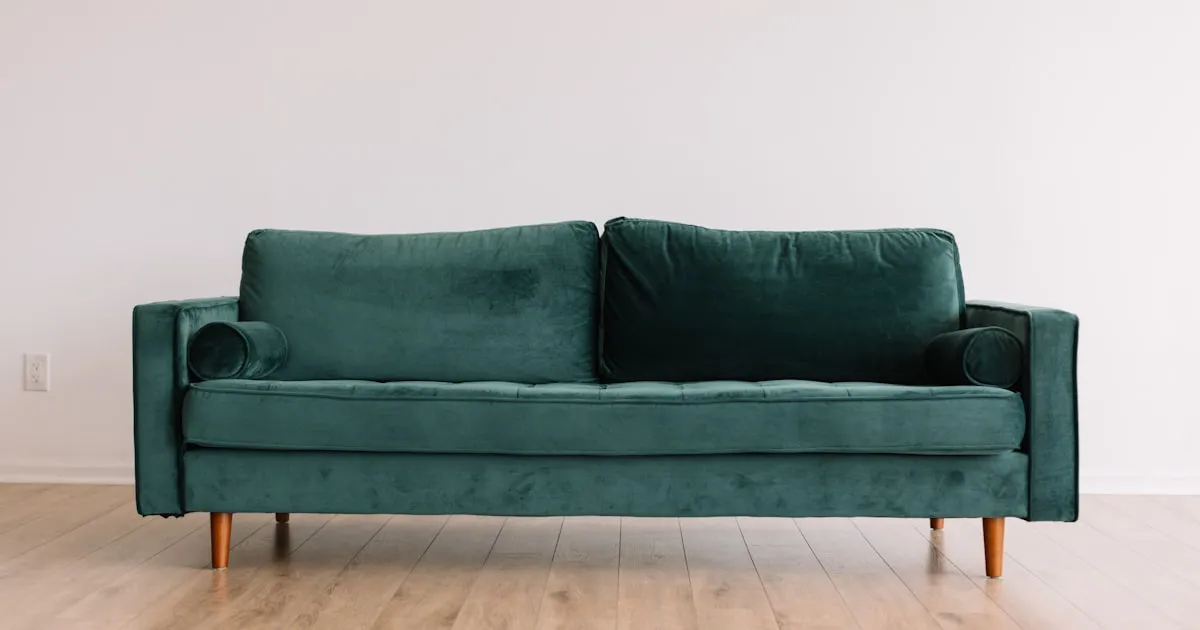
- Sofas and armchairs: This is the top category for AR in furniture. The sofa is often the centerpiece of the living room, and dimension errors are the most costly. AR allows verifying that the sofa fits harmoniously into the space.
- Tables and desks: Dining tables, coffee tables, work desks: AR allows validating proportions relative to the room and other furniture.
- Chairs and stools: Often purchased in sets, chairs must harmonize with the existing table in terms of height, style and color. AR facilitates this validation.
- Shelves and bookcases: These pieces are heavily constrained by the available height and width. AR is ideal for verifying that a shelf fits perfectly into a defined space.
- Lighting: Pendants, floor lamps, wall sconces: lighting fixtures are decorative elements where perceived size and style are decisive. AR helps choose the right fixture for the right space.
- Bedding: Beds, headboards, bedside tables: the bedroom is an intimate space where furniture harmony is essential. AR allows configuring the entire bedroom virtually.
- Wall decor: Paintings, mirrors, wall clocks, decorative shelves: these elements require in-situ visualization to evaluate their size and impact in the room.
Recommended settings by furniture type
| Furniture type | Placement | What the customer checks | Tip |
|---|---|---|---|
| Sofas and armchairs | Floor | Footprint, clearance, fabric color | Lock resizing to keep the 1:1 scale and offer the fabrics as variants. |
| Large corner sofas, walk-in wardrobes, wardrobes | Floor | Overall length, ceiling height, door opening | Suggest stepping back to the doorway to see the whole piece. |
| Tables and chairs | Floor | Proportions of the set, seat height | Put the table and chairs in an object group to show the whole set. |
| Beds and bedside tables | Floor | Clearance on each side of the bed | Model the bed at the size of the mattress you sell (140, 160 or 180 cm), one size per object. |
| Shelves, mirrors, pictures, wall lights | Wall | Hanging height, available width | Turn on the "The object is placed on a wall" option in the object settings. |
| Floor lamps and pendant lights | Floor | Perceived height and diameter | A pendant light can't hang from the ceiling in AR: show it standing on the floor to judge its size. |
How do you put your furniture in augmented reality in 4 steps?
Integrating augmented reality into your furniture catalog is a simple and quick process with Visuality. Whether you are a furniture maker, a furniture distributor or a home decor retailer, the process is the same:
- Get the 3D model of the piece. Ask your manufacturer or 3D designer for a GLB or USDZ file. If you have no file, generate a model from a photo with the built-in AI, scan the piece with a smartphone (Polycam app) or request custom modelling on quote.
- Upload it and set it up in Visuality. In the 3D object library, upload the file, then choose the placement (floor or wall), lock user resizing if needed and check the size. Fabric and color variants defined in the file are detected automatically.
- Test it on iPhone and Android. Visuality automatically generates the USDZ version used by AR Quick Look on iPhone. Open the share link on both types of phone and measure the virtual piece with a tape measure: it must match the specification sheet.
- Share it with your customers. Embed the viewer on your product page (Shopify app, PrestaShop module or iframe), print the QR code on your labels and catalogs, or send the link by email.
For shelves, mirrors and all items meant to be wall-mounted, Visuality offers a specific wall placement feature. The customer can visualize the item on their wall in augmented reality, adjusting position and height to find the ideal location.
Detailed step-by-step guides in the documentation: floor or wall placement, size and resizing, color and material variants, object groups and generating a 3D model with AI.
Try augmented reality on your phone
Open the Visuality demo on your smartphone and place 3D objects in your home, at real scale, without installing anything.
Open the augmented reality demoChecklist: is your 3D furniture model ready for augmented reality?
The quality of the augmented reality experience depends directly on the quality of your 3D models. Here are best practices for successful furniture models:
- Respect real scale: This is the most critical point for furniture. Precisely measure your furniture (height, width, depth) and make sure the 3D model exactly reflects these dimensions. A scale error, even of 10%, can completely distort the customer's perception and generate returns.
- Units in meters, feet on the floor: the glTF format expresses all distances in meters. Check that the model is exported in this unit, that its feet sit at height zero and that its front faces the front of the scene.
- Take care with textures and materials: Material rendering is essential for furniture. Use high-resolution textures for wood, fabric, leather and metal. PBR (Physically Based Rendering) ensures optimal realism.
- Declare variants in the file: if a sofa comes in several fabrics or colors, define them as material variants (glTF extension KHR_materials_variants). Visuality detects them and shows a selector in the 3D viewer. On iPhone, augmented reality shows the default finish: to show a specific finish in AR on every phone, publish it as a separate object.
- Keep the file light: Google recommends less than 10 MB and fewer than 100,000 triangles for Scene Viewer, with textures of 2048 × 2048 pixels at most; Apple advises around 100,000 polygons for AR Quick Look. Reduce detail on hidden faces (underside, back against the wall) rather than on visible parts.
- Don't bake shadows: augmented reality viewers add their own shadow on the floor. A shadow "painted" into the texture would look wrong in the customer's room.
- Test on mobile before publishing: The AR experience is primarily on smartphone. Systematically test your models on a real phone to verify proportions, material rendering and interaction fluidity.
To learn more about file formats, read our comparison GLB or USDZ: which 3D format for augmented reality? and the definitions in the 3D and augmented reality glossary.
How much does augmented reality cost for a furniture catalog?
Visuality works on a monthly subscription: plans differ by the number of published 3D objects and the number of AI 3D generations included each month. Views of your objects are unlimited, with no per-view fee. The free trial, with no credit card, lets you test a first piece of furniture from start to finish. See Visuality pricing or all features.
Frequently asked questions
Sources
- Consumers expected to return nearly $850 billion in merchandise in 2025 — NRF / Happy Returns, 2025 · Verified on October 15, 2026
- IKEA launches IKEA Place, a new app that allows people to virtually place furniture in their home — Inter IKEA, 2017 · Verified on October 15, 2026
- At Houzz, mobile augmented reality is fueling sales — Retail Dive, 2018 · Verified on October 15, 2026
- Furniture and Home Decor UX: Deprioritize “View in Room” Augmented Reality (AR) Features — Baymard Institute, 2024 · Verified on October 15, 2026
- glTF 2.0 Specification — Khronos Group, Verified on October 15, 2026
- Scene Viewer: 3D asset requirements — Google, Verified on October 15, 2026
- Guidance on USDZ model sizes — Apple Developer Forums, 2021 · Verified on October 15, 2026