Augmented reality and trade shows: present all your products without transport
At a trade show, augmented reality lets you present your entire catalog without shipping your products. Visitors scan a QR code on your booth and see each product in 3D, then at real scale in the aisle, on their own smartphone. For halls without a reliable network, the Visuality Android app works offline.

No commitment, no credit card required.
Why is exhibiting at a trade show so expensive in logistics?
Participating in a trade show represents a considerable investment for any company. Beyond the cost of booth rental, product transport, setup and teardown costs significantly increase the bill.
Booth space is inherently limited. Even with a substantial budget, it is impossible to physically display an entire product catalog. Choosing which products to present becomes a delicate exercise, with the permanent risk of not having the product that interests a visitor.
You also need to account for transport risks. Products sometimes arrive damaged, scratched or incomplete at the show venue. A damaged piece of furniture on a booth doesn't give the best image of your brand.
Finally, booth setup and teardown mobilize human resources and time. Sales teams spend hours installing and packing instead of focusing on what they do best: selling.
How does augmented reality change a trade show booth?
Augmented reality (AR) provides a direct answer to these logistical constraints. The principle is simple: instead of physically transporting your products, you present them in 3D and augmented reality directly on the visitor's smartphone or tablet.
In practice, your booth can include panels or banners with visuals of your products each accompanied by a QR code. An interested visitor scans the code, the 3D viewer opens in their browser, and they can view the product from all angles and project it in augmented reality in the show aisle.
The competitive advantage is immediate. While your competitors are limited to the few products they could transport, you present an unlimited catalog in 3D and augmented reality.
The QR code is a format perfectly suited to the trade show context. Visitors are used to scanning codes to get information. To learn more about QR code and augmented reality strategies, see our complete guide on QR codes and augmented reality.
Concrete advantages for exhibitors
The benefits of augmented reality at a trade show are numerous and measurable. Here are the main advantages observed by companies using this technology at their booths:
- Drastic reduction of logistics costs: No more need to transport dozens of physical products. You eliminate transport, insurance and handling costs.
- Unlimited product catalog: Regardless of your booth size, you present your entire range. A visitor looking for a specific product finds it immediately in 3D.
- "Wow" effect and booth attractiveness: Projecting a product in augmented reality systematically attracts attention. Visitors stop, try, photograph and share the experience.
- Interest indicators per product: when the Statistics module is enabled on your account, each object and each group shows its number of 3D views and augmented reality views over the period of your choice. After the show, you know which products drew the most interest, which helps you prioritize follow-ups.
- An experience people remember: a visitor who made your machine appear at real scale in the aisle keeps a more concrete memory of your offer than one who leafed through a brochure among dozens of others. And they tell their colleagues on the spot.
- Continuity after the show: The visitor leaves with the link or QR code to your 3D products. They can re-view your offer in augmented reality at home, at the office, and share with decision-making colleagues.
Checklist: before, during and after the show
Before the show (two to three weeks ahead)
- Choose the products to show in 3D: those you can't transport, new releases, finish variants.
- Upload the 3D models (GLB or USDZ) or generate them with AI from photos, allowing time to check each one.
- Set up each object: floor or wall placement, locked resizing for products to be shown at 1:1 scale.
- Create an object group dedicated to the show: it gives a single link and QR code for the whole selection.
- Download the QR codes and have them printed at the right size, with a call to action ("Scan to see this product at real size").
- Install the Visuality Android app on the booth tablets and open the group in it with its PIN code while you are online.
- Test everything in airplane mode on the tablet, then the visitor journey on an iPhone and on an Android phone.
- Train the team: every salesperson should be able to launch augmented reality and place a product in a few seconds.
During the show
- Place the QR codes at eye level, next to the product visual, on a matte surface that doesn't reflect the hall's spotlights.
- Keep a clear, well-lit floor area for real-scale demonstrations.
- Start with a demonstration on the tablet, then invite the visitor to scan the QR code with their own phone.
- Suggest that visitors take a photo of the product in augmented reality: they leave with a picture of your product in context.
- For each prospect, note the products they looked at: this will be the basis of your follow-up.
- Bring power banks: augmented reality makes heavy use of the screen and camera.
After the show
- In your follow-up email, include the link to the group or object the prospect looked at, so they can see it again at home or at the office.
- Check the view statistics for the objects and the group to spot the products that generated the most interest.
- Keep your printed materials: the link and QR code stay the same when you update an object, as long as your subscription is active.
How do you present your products without an internet connection at a trade show?
One of the recurring challenges at trade shows is connectivity. Exhibition halls often offer overloaded, slow or unstable WiFi.
Visuality addresses this with an Android app that works offline. Before the show, open your objects or your group in the app by entering the PIN code shown on their share page (or via the direct link) while you are online. They then remain available without a connection, provided you have accessed them within the last 30 days. The app, compatible with Android 8.0 and later, can also display several 3D objects in the same environment.
This offline feature is a decisive advantage. You no longer depend on network quality at the event venue. Your AR demonstration works perfectly, every time, regardless of network conditions.
Note: offline mode applies to the Android tablet on your booth. Visitors who scan a QR code with their own phone open the web viewer, which needs a connection; in most halls, their mobile network is enough.
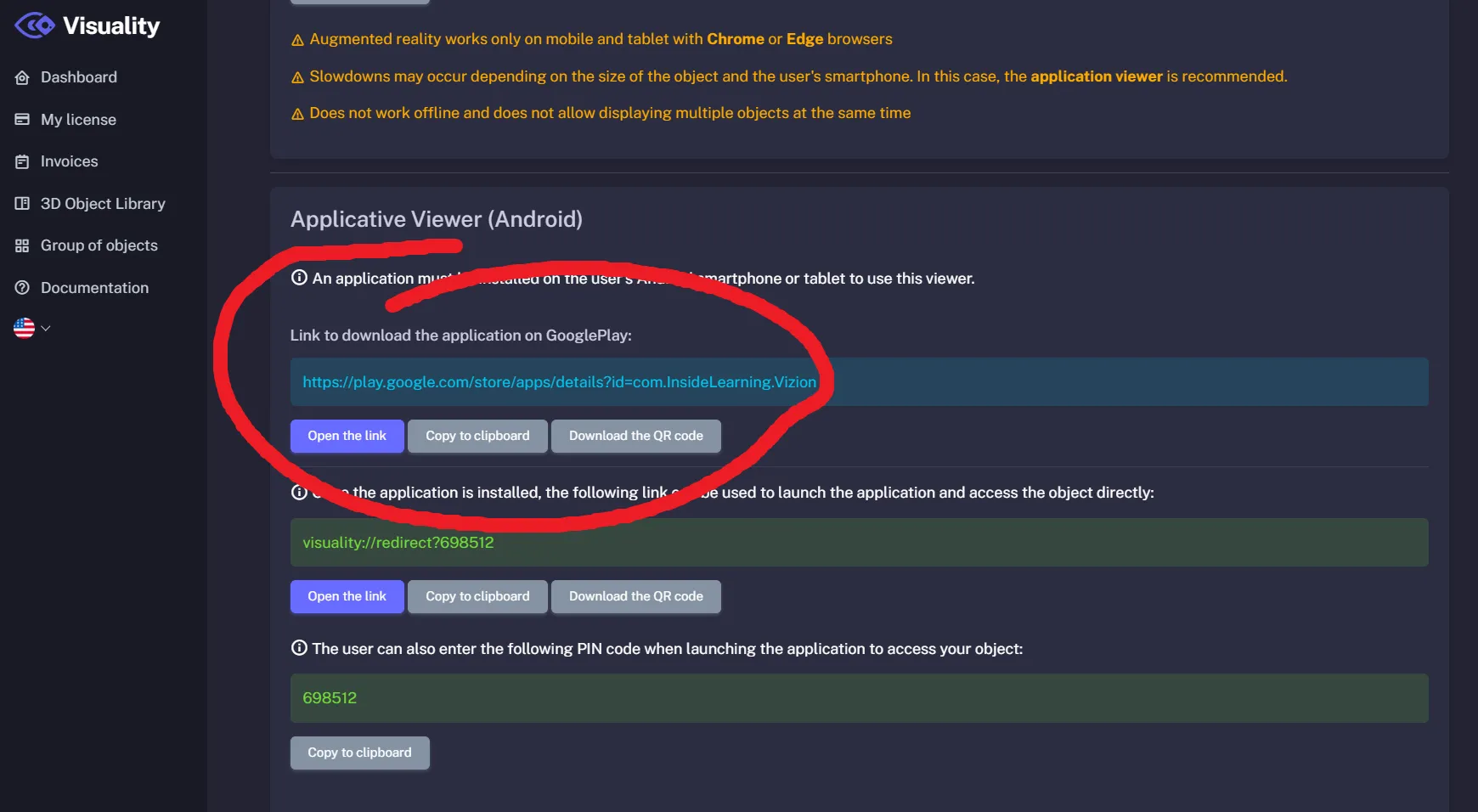
To configure offline mode and prepare your app before a trade show, see our detailed guide on offline operation and the documentation for theAndroid augmented reality app.
Where should you place the QR code on the booth, and what size should it be?
A simple rule guides the size: the scanning distance is about ten times the side of the QR code, with a minimum of about 2 × 2 cm. Adapt the size to where the visitor will stand:
- Product sheet or counter, scanned at 30–50 cm: 3 to 5 cm per side.
- Roll-up banner or panel scanned at 2 m: about 20 cm per side.
- Back-wall visual scanned at 3–4 m: 30 to 40 cm per side.
Leave a white margin around the code, keep dark on light contrast and test each print with several phones before the show. The QR code downloaded from Visuality carries the Visuality logo in its center: add a short sentence right next to it announcing augmented reality.
How can you show a whole catalog with a single QR code?
With an object group. In Visuality, a group gathers several 3D objects behind a single link and QR code. The visitor opens the group viewer, moves from one product to the next in the sidebar, then launches augmented reality on the one they are interested in. You can create one group per show, per range or per market, and the same object can belong to several groups.

Create an object group (documentation) · 3D object groups in augmented reality
Try augmented reality on your phone
Open the Visuality demo on your smartphone and place 3D objects in your home, at real scale, without installing anything.
Open the augmented reality demoDiscover all features · See Visuality pricing · Glossary: the AR QR code
Frequently asked questions
Sources
- What’s the Minimum Size for a QR Code? — Bitly, 2024 · Verified on October 15, 2026
- Point for determining the code area — DENSO WAVE, Verified on October 15, 2026
- AR Quick Look — Apple, Verified on October 15, 2026
- Scene Viewer — Google, Verified on October 15, 2026