Add a 360° background image to the 3D viewer
In short
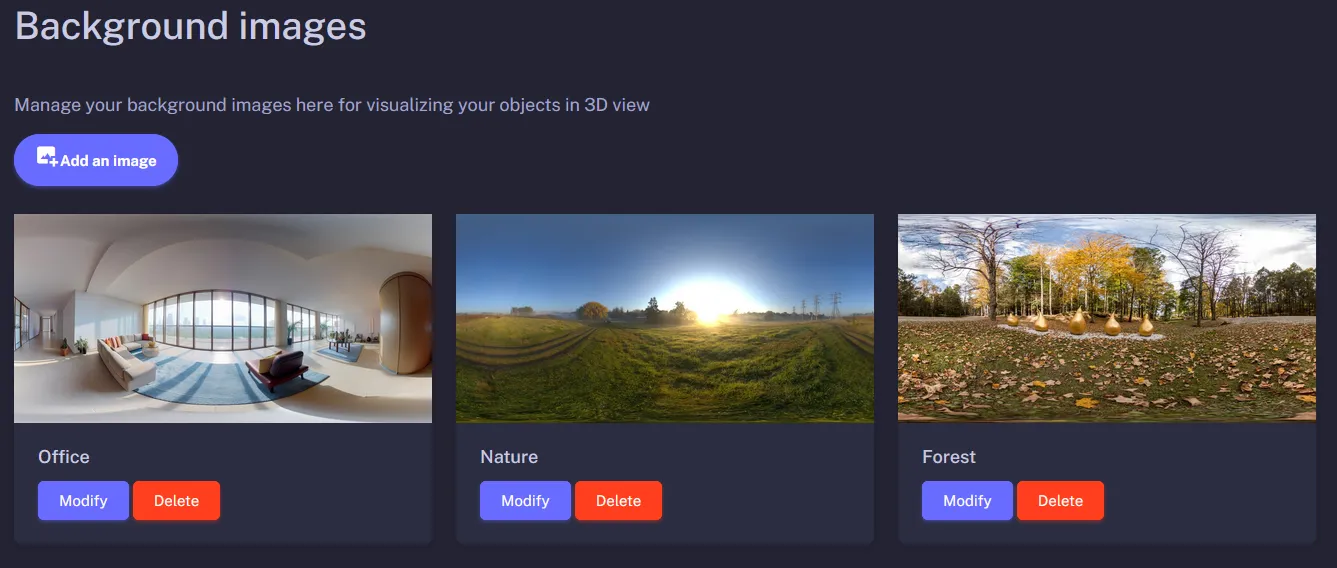
A background image replaces the 3D viewer's neutral backdrop with a 360° panorama, such as your showroom. First import the image into Background images, then choose it in each object's Background image field. It appears in the 3D view, not in augmented reality.
In the example above, the two 3D models displayed from the 3D viewer have different backgrounds.
Prerequisites
- A Visuality account with an active subscription or an ongoing free trial.
- An equirectangular panoramic image (360°, twice as wide as it is high), in .png or .jpg format and 1 MB maximum.
- A 3D object already imported into your library (GLB or USDZ file).
Steps: add the background image, then assign it
- In the menu, go to Background images and click the add image button.
- Enter a Title (it helps you find the image in the list), choose the file in the Image field, then click Validate.
- In the 3D Object Library, open the object's settings with Modify.
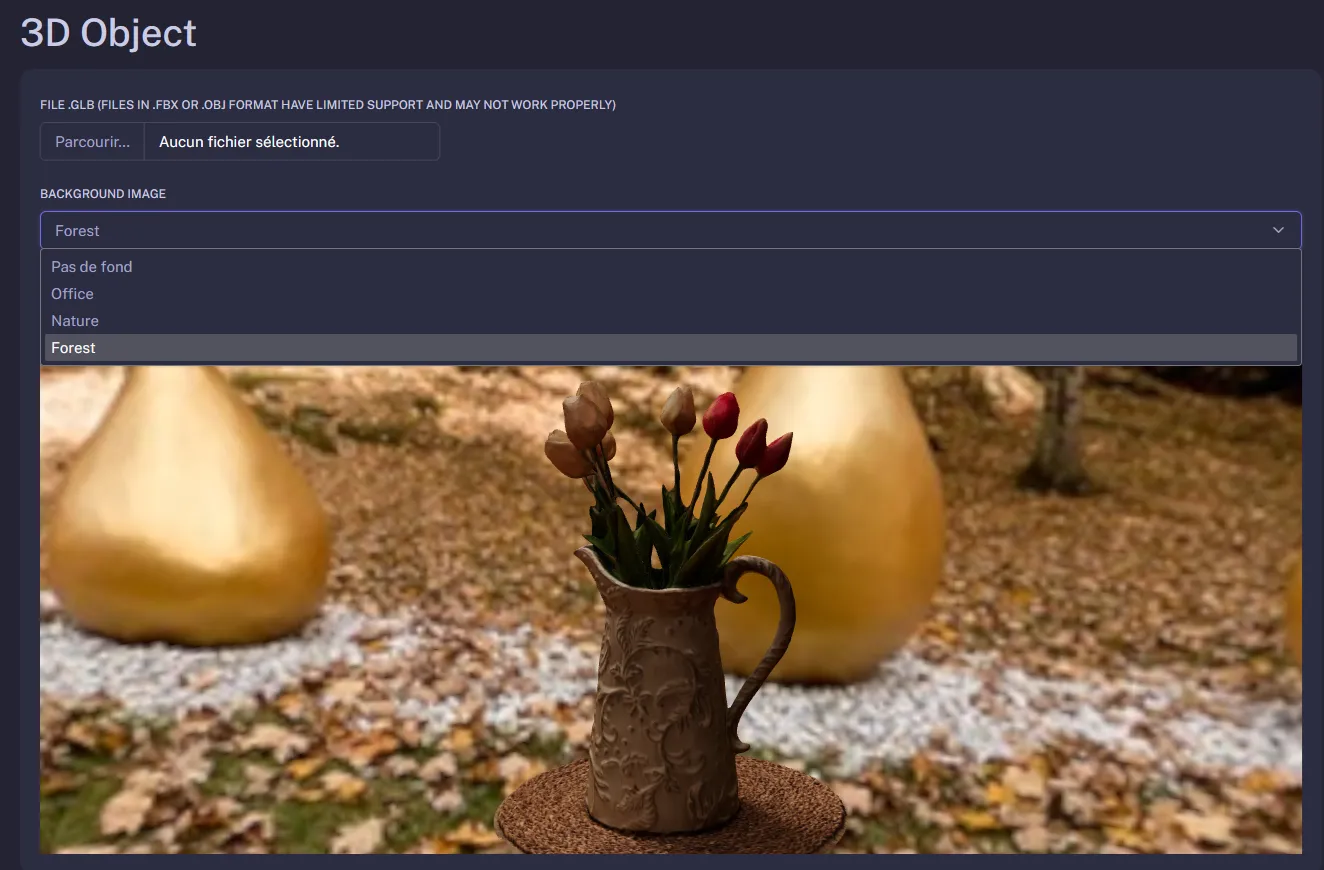
- In the 3D Object section, choose the image in the Background image field: the preview updates immediately. The Pas de fond (no background) option goes back to the neutral backdrop.
- If needed, set the Background image height (in meters), then click Validate.
Good to know and limitations
- Background image height: at 0 (the default value), the panorama surrounds the object like a sphere. A higher value projects the bottom of the panorama onto the ground so the object seems to stand in the scene; in that case, enter the height at which the 360° photo was taken (often 1 or 2 m).
- The image also lights the object: its reflections and brightness adapt to the chosen panorama.
- In augmented reality, the background is replaced by the camera feed: the background image only appears in the 3D view.
- A regular (non-equirectangular) photo looks distorted and stretched around the object.
- The same image can be used for several objects; in a group, each object displays its own background. Deleting an image simply removes the background from the objects that used it.
Frequently asked questions
No. In augmented reality, the object is displayed in the room filmed by the phone's camera: the background image is only used in the 3D view, in the web viewer and in the iframe embedded on your site.
An equirectangular panoramic image, that is, a 360° photo twice as wide as it is high, in .png or .jpg format and 1 MB maximum. A well-compressed JPG of about 2048 × 1024 pixels is a good balance between sharpness and file size.
The viewer projects the image onto a sphere around the object. A regular photo, a partial panorama or an image with the wrong aspect ratio is therefore stretched. Use a true 360° photo exported in equirectangular projection.
Any questions? Feel free to contact us by email at contact@visuality.fr or by phone at 05 35 54 20 41!